The Library offers black and white printing services for 10 cents a page.
There are two ways to print something out from the Library's printer. You can use one of the Library's laptops to send the print job to the print management console, or you can send the file directly from your mobile devices.
To send the file remotely from your device:
Go to: https://print.princh.com/ or scan the QR code.
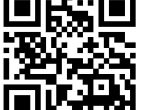
- Enter the Library's code (112864).
- Upload your documents, and adjust the settings (the Library's printer can only print in black and white).
- Agree to the Terms and Conditions and click Continue.
- Enter your email address, and the file has been sent!
- Go to the Library's print management kiosk, when prompted for your library card number, enter your email address instead to find your print job.
- Pay for and release the prints.
If you have any questions, please don't hesitate to ask a staff.